TALL · AI

Statistics,
explained in plain language.

A context‑aware assistant — built on the Google Gemini API — that generates contextualised explanations for every analytical step in TALL. It interprets topic clusters, reads sentiment distributions, suggests next analyses, and comments on network communities in natural language, right alongside the numerical output.

TALL AI emblem

Integrated with Google Gemini · Medium (16k tokens) or Large (32k tokens) modes

§ 1 · How it works

A hybrid analysis:
evidence paired with interpretation.

TALL AI does not replace statistical analysis — it narrates it. Each output comes with a collapsible panel of AI‑generated commentary providing interpretive context, suggesting next analytical steps, and highlighting implications a domain expert would notice.

Interprets

Contextual explanations

Generates narrative summaries of every output — frequency tables, topic models, network clusters, sentiment distributions — grounded in the specific characteristics of your dataset.

Guides

Methodological prompts

Suggests the most suitable next analysis for your corpus — from Words in Context to Polarity Detection — turning the platform into a research companion.

Synthesises

Key takeaways & implications

At the end of the pipeline, assembles "Key Takeaways & Implications" — the kind of narrative distillation that bridges statistical evidence and actionable insight.

§ 2 · In practice

See it alongside real outputs.

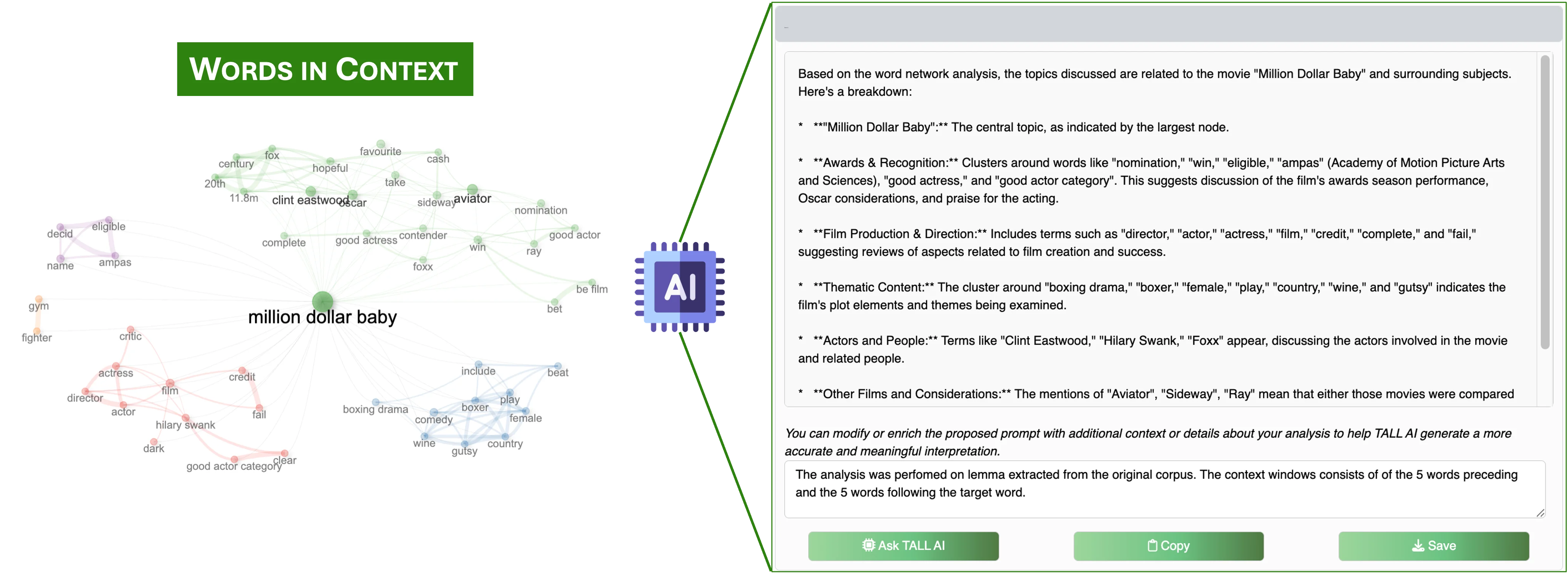
TALL AI's responses appear in collapsible panels directly next to each analytical output. In the BBC News example, the assistant interpreted five community‑detection sub‑graphs as topical clusters — Awards/Movies, Music and Performance, Music Industry, Media and Entertainment, General News — and surfaced observations such as "the entertainment news focuses heavily on film awards and the movie industry."

For the US Airline Tweets corpus, TALL AI synthesised the sentiment analysis into actionable takeaways: "the dominance of 'delay' and 'cancel' in negative tweets suggests airlines should focus on improving their processes for handling flight disruptions."

The model's textual responses are rendered dynamically within the interface, complementing quantitative results with natural‑language commentary.
— Aria et al., SoftwareX 2026
TALL AI interpretation alongside Words in Context
Figure TALL AI panel alongside a Words‑in‑Context analysis — the assistant synthesises concordance lines into interpretive themes.
§ 3 · Privacy by architecture

Your corpus stays on your machine.

TALL AI implements data minimisation. The corpus is analysed in your R session and is never uploaded as a whole: Gemini receives only what you send it, when you ask for it. To interpret a result, that is the plot or table on screen, plus your prompt and corpus description. The one exception is abstractive summarization, which sends the full text of the document you choose to summarise.

Data minimisation

For interpretation, Gemini receives the rendered output (counts, topic labels, cluster structures, the words shown in a plot) and never the underlying documents. Abstractive summarization is the only feature that sends a document’s text, one document at a time and only on request.

Fully opt‑out

The AI assistant can be disabled entirely in the settings — all other functionality remains fully operational. No external calls, no connectivity required.

Institutional deployment

For regulated data (GDPR, HIPAA), TALL can be deployed on private servers with restricted API access — or without external connectivity at all.

Recommendation

Working with sensitive corpora?

For research involving EU‑GDPR or US‑HIPAA regulated data, we recommend one of: (1) disabling TALL AI; (2) isolated server deployment; or (3) data anonymisation prior to analysis. Future versions will support local language models for additional privacy guarantees.

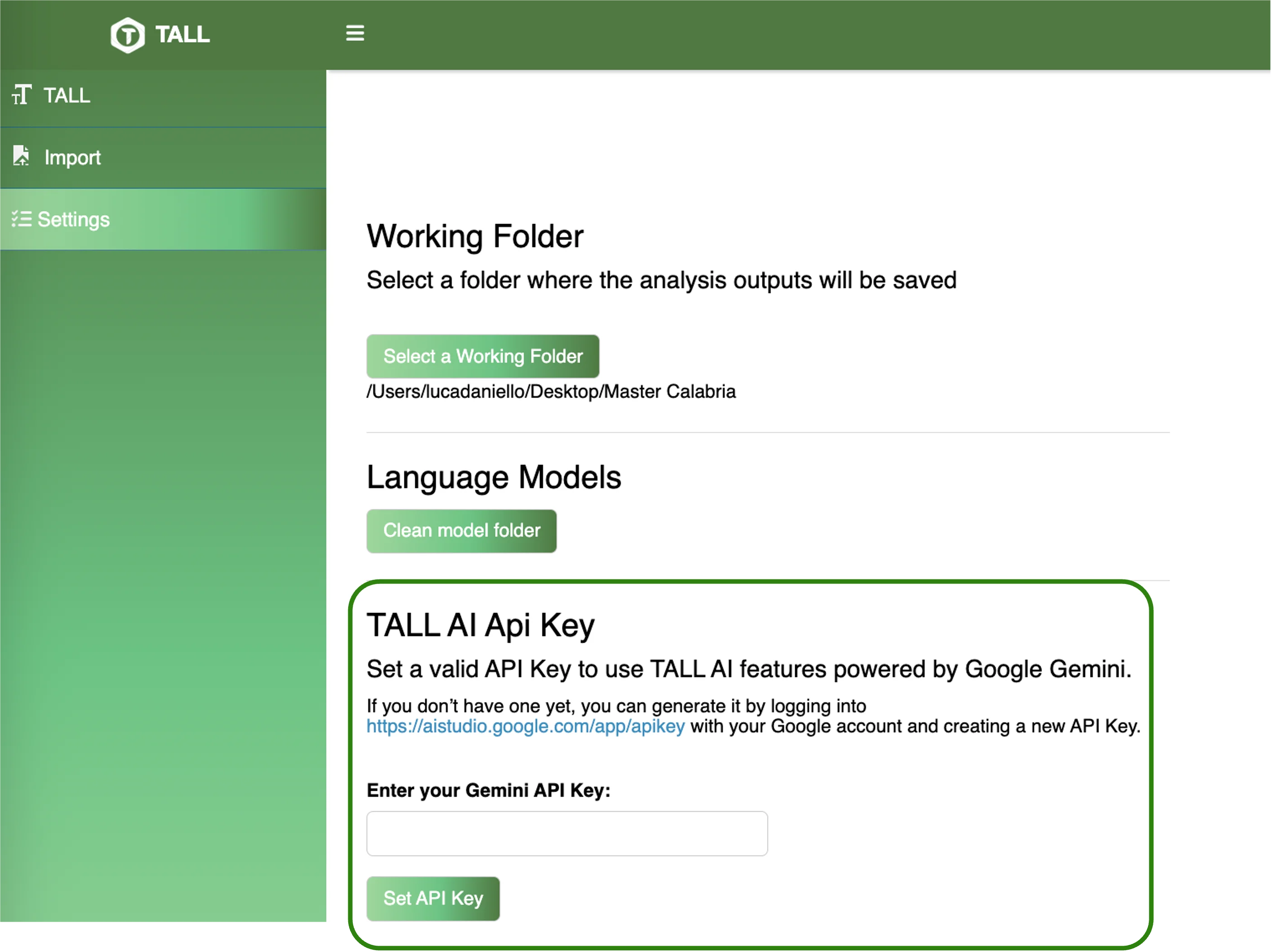
TALL AI settings interface
Figure AI settings panel — pick a Gemini model, select context size, customise default prompts.
§ 4 · Configuration

Configurable reasoning depth.

Choose between Medium (16,384 tokens) and Large (32,768 tokens) configurations, plus alternative Gemini variants via a drop‑down menu. Default prompts are pre‑configured but fully customisable to match your analytical goals and preferred narrative detail.

  • · Multiple Gemini models selectable at runtime · default gemini-3.5-flash-lite since 1.0.1
  • · Adjustable context window — from 16k to 32k tokens
  • · Pre‑configured prompts per analytical module
  • · Full prompt customisation & override

Give your analysis a narrative voice.